
- info@skillriseitacademy.com
CYBER SECURITY
A critical Screen Connect vulnerability is being exploited in the wild.
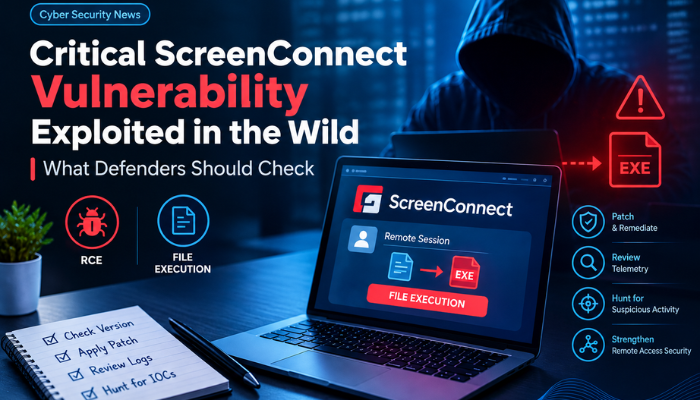
A critical ConnectWise ScreenConnect vulnerability, CVE-2026-84869, is now being exploited in the wild, according to reporting published on September 16, 2026. ConnectWise had already released ScreenConnect 26.6.5 and issued interim mitigation guidance before the patch became generally available.
ConnectWise describes the issue as a condition that can allow files to be transferred and executed through an active remote session without the expected authorization or host confirmation in certain circumstances. The vendor’s bulletin assigns the vulnerability a 9.9 CVSS base score.
ConnectWise maps the primary weakness to CWE-862, Missing Authorization, with an additional privilege-management weakness listed in the bulletin. The risk comes from an attacker being able to abuse file-transfer and file-execution behavior during an active remote session under circumstances where authorization controls should prevent the action.
Because remote-access software is frequently deployed on endpoints used by IT teams and managed-service providers, a flaw in session controls can become particularly significant when many customer or administrative systems are connected through the same operational environment.
Remote administration platforms have legitimate, powerful capabilities: file transfer, remote control, software deployment and troubleshooting. Those same capabilities can become useful to an attacker after a security boundary is crossed.
The key defensive question is therefore not simply whether ScreenConnect is installed. Teams should understand where it is installed, which users can initiate sessions, which endpoints accept remote control and what telemetry records file transfers or process execution.
ConnectWise recommends upgrading on-premise ScreenConnect to 26.6.5. Its advisory also provides temporary mitigation guidance for organizations that cannot immediately deploy the update.
If a managed-service provider uses remote-access tooling across multiple customer environments, validate tenant separation, privileged access, MFA, administrative roles and monitoring across the management estate.
| Signal | Defender question |
|---|---|
| Unexpected session | Was the connection initiated by an approved technician or automation? |
| File transfer | Was the transferred file expected, signed and business-justified? |
| Process execution | Did a new process appear immediately after remote access? |
| Privilege change | Did the session lead to administrative or elevated activity? |
| Lateral movement | Did the endpoint subsequently connect to other internal systems? |
Hunting should be scoped to the period before remediation as well as the period immediately after it. Patching closes a vulnerability; it does not automatically remove persistence or reverse actions that may already have occurred.
Remote-access software sits at an interesting intersection of identity, endpoint security and privileged operations. That makes it a useful example of why security monitoring cannot be divided into isolated product silos.
A strong SOC should be able to connect the chain:
That correlation can make it easier to distinguish normal remote support from suspicious post-compromise activity.
CVE-2026-84869 shows why remote-access tooling needs the same security attention as operating systems, VPNs and other high-value infrastructure.
Organizations should verify ScreenConnect versions, apply ConnectWise’s remediation, review remote-session and file-transfer telemetry, and investigate suspicious activity from before the upgrade. The most useful defensive signal is the combination of identity, remote-session behavior and endpoint activity—not any single log source in isolation.
Learn cybersecurity through practical training, guided projects, security labs and industry-focused learning with Nivi Cyber Solutions.
SkillRise IT Academy is an IT training institute in Hyderabad offering practical courses for students, fresh graduates, and working professionals. Learn from experienced trainers, work on live projects, gain practical skills, and get career and placement support.
© 2026 SkillRise IT Academy. All Rights Reserved.